PNGEmote
A downloadable tool for Windows
PNGEmote allows PNGTubers to automatically switch emotion hotkeys using a webcam.
How it Works
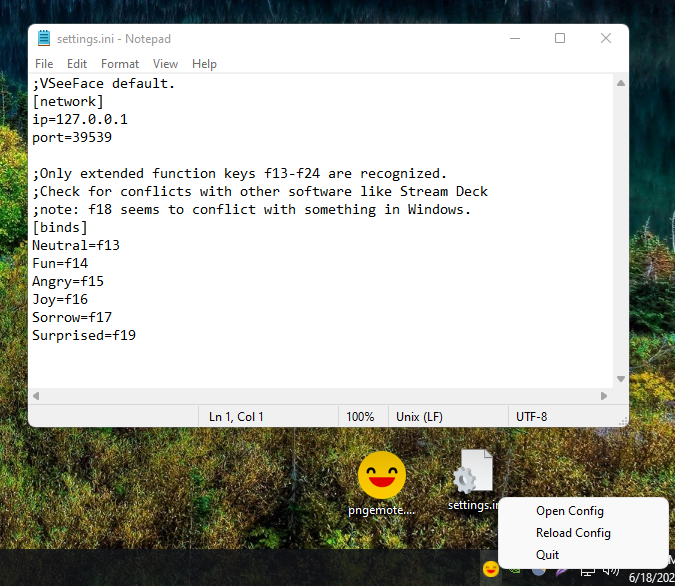
PNGEmote listens for facial expression data from VSeeFace over the OSC/VMC protocol and maps detected expressions to keypresses for extended function keys (`F13`–`F24`). Using these keys avoids conflict with standard hotkeys in other applications.
----------------------------
Requirements
- VSeeFace https://www.vseeface.icu/#download
- A compatible PNGTuber application (e.g., PNGTuber Plus, Vaedotube Mini)
----------------------------
Setup
1. Configure VSeeFace
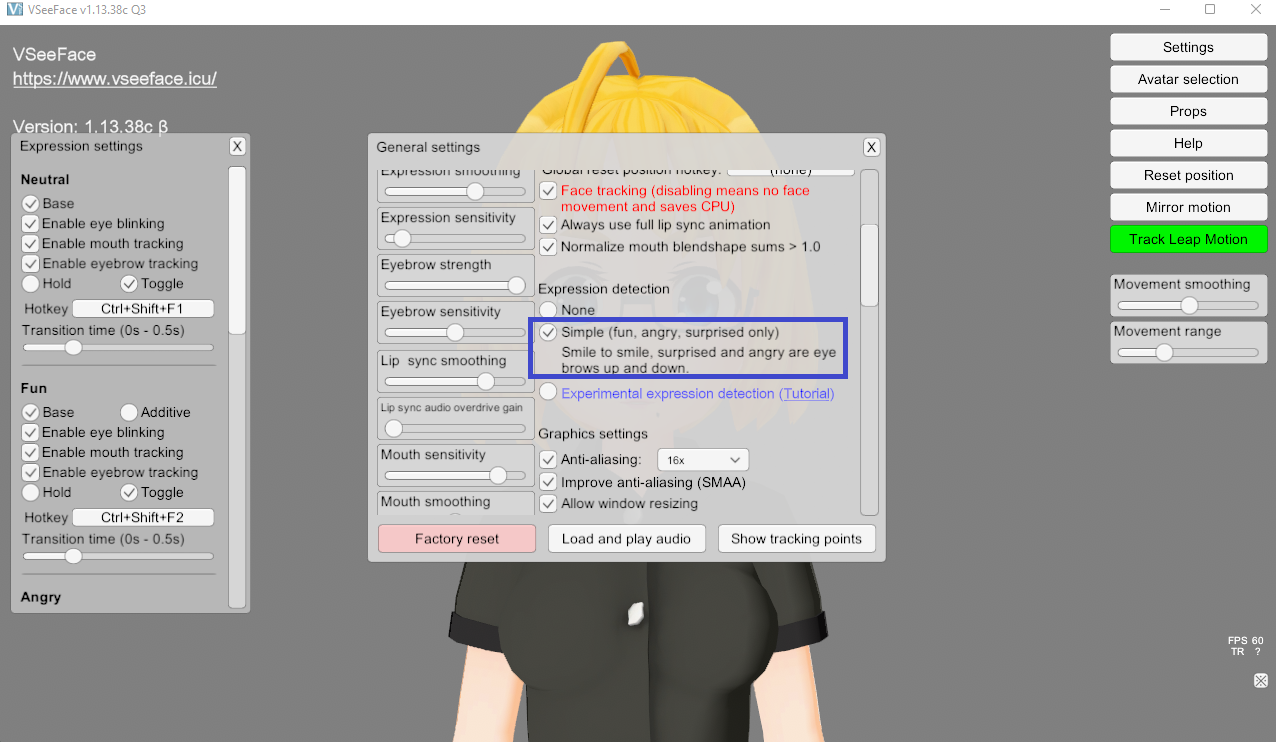
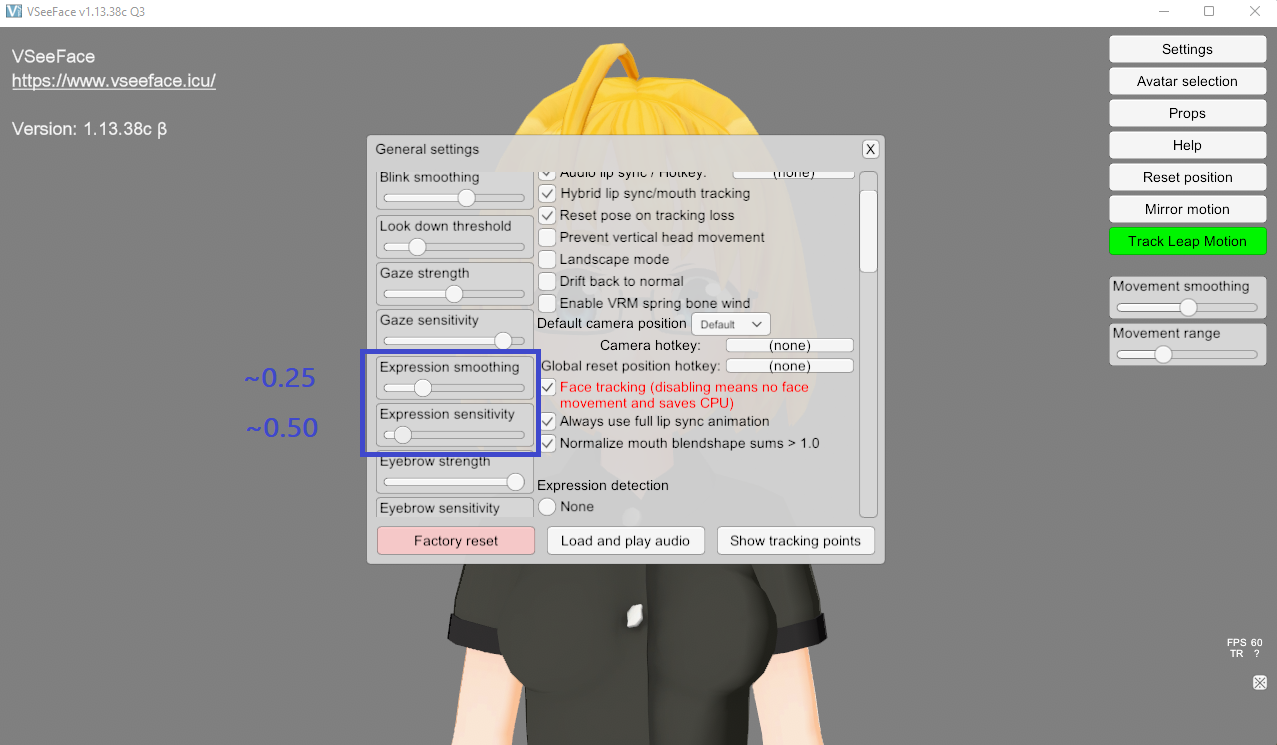
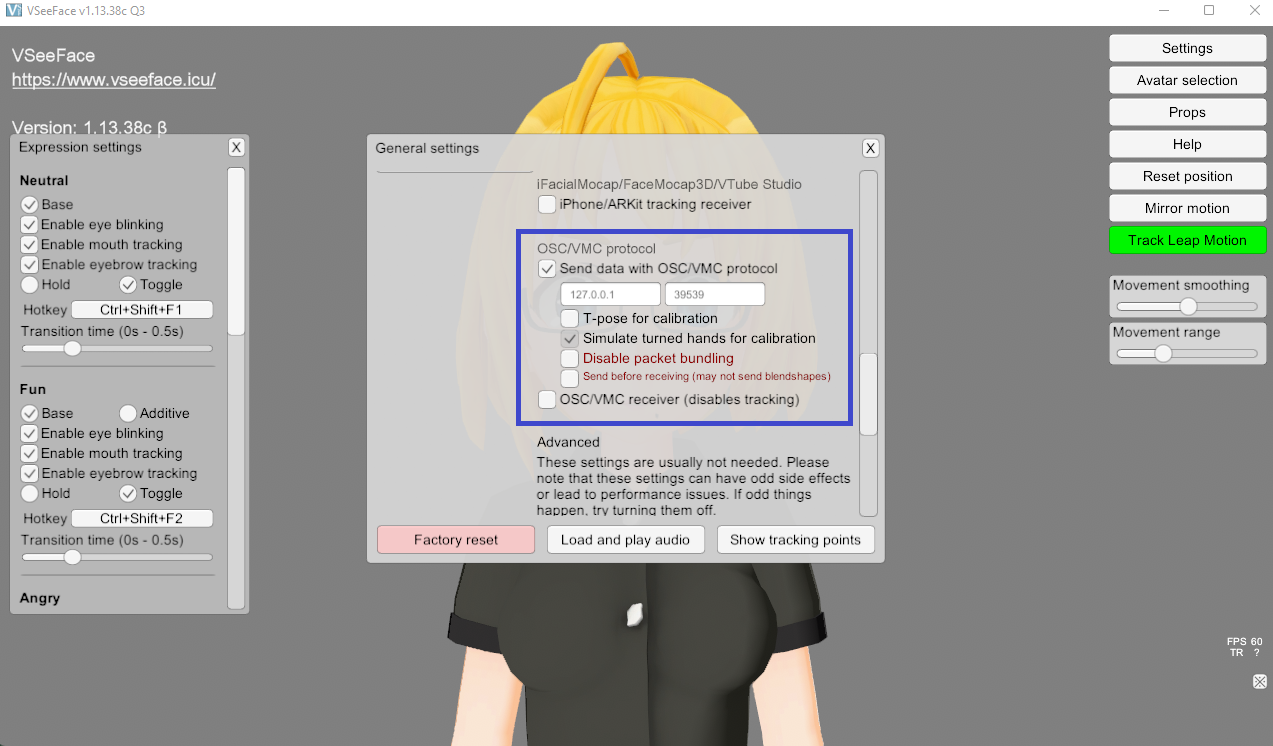
Open Settings > General Settings in VSeeFace and apply the following:
| Setting | Value | |
| Expression Detection | Simple | |
| Expression Sensitivity | ~0.5 | |
| Expression Smoothing | ~0.25 | |
| Send data with OSC/VMC protocol | ✅ Checked | |
| IP Address & Port | 127.0.0.1:39539 |
💡 Optional: You can enable the experimental expression detection in VSeeFace to unlock custom "Joy" and "Sorrow" expressions. You will need to calibrate all expressions in this mode.
2. Launch PNGEmote
- Run `pngemote.exe`. The application will run in the background and appear in your system tray.
- To change the listening address/port or remap hotkeys, edit the `settings.ini` file and reload.
----------------------------
Configuring Your PNGTuber Software
Use the steps below to bind hotkeys for each facial state.
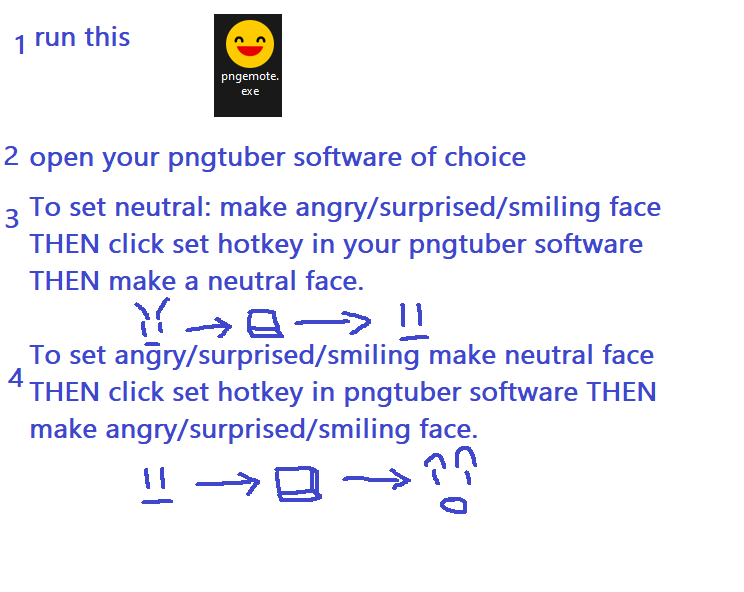
🔹 Neutral State (Default/Idle)
1. Hold a non-neutral expression (e.g., Angry, Surprised, or Fun/Smiling).
2. In your PNGTuber software, select set hotkey for the Neutral state.
3. Release the held expression back into a neutral face to trigger the hotkey.
🔹 Active States (Angry, Surprised, Fun/Smiling)
1. Start with a neutral face.
2. In your PNGTuber software, select set the hotkey for the Active state.
3. Make the corresponding expression to trigger the hotkey.
----------------------------
Source Code (MIT License):
Download
Click download now to get access to the following files:
Leave a comment
Log in with itch.io to leave a comment.